
MC-CRM: a case management system for a pension consultancy.
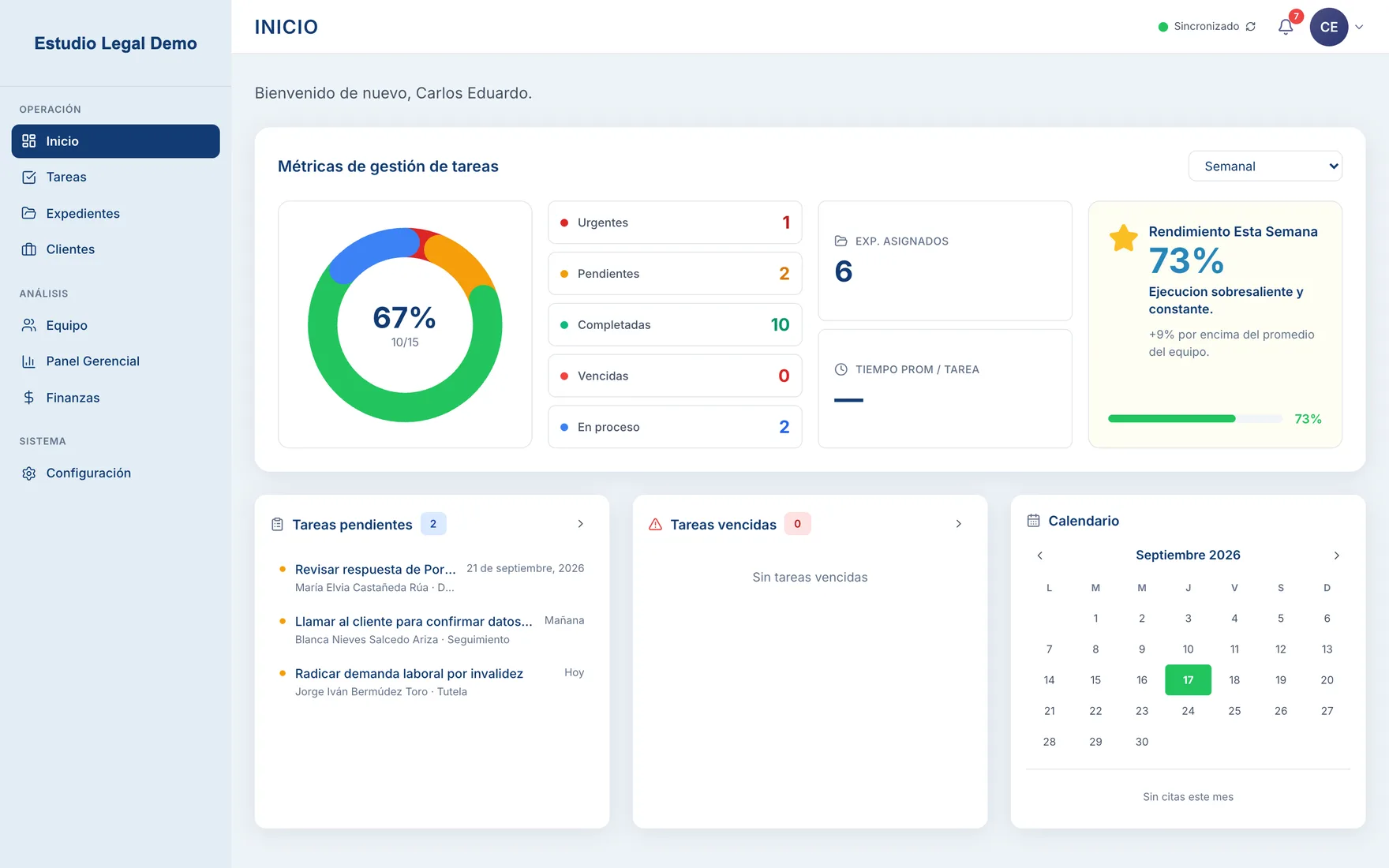
Cases, tasks, documents, permissions and finance in one system built around how the team already worked. It runs as a desktop app and in the browser, and it keeps working when the office internet drops.
The Problem
The firm handles pension claims that take months and pass through several people: whoever takes in the client, whoever builds the case file, whoever files it and whoever follows it up. All of that was coordinated across spreadsheets, shared folders and WhatsApp chats.
The data existed. The problem was that nobody had the whole picture. Knowing where a case stood meant asking someone. Deadlines depended on someone remembering them. Monthly numbers for management were put together by hand from several spreadsheets. On top of that, the office connection drops often, so the system had to keep working without internet.
What I built
Instead of bending the firm to fit off-the-shelf software, I built the system around the process they already had, in the words they already used. One app runs on the desktop and in the browser. It keeps everything in a local database and syncs with the server whenever there's a connection.
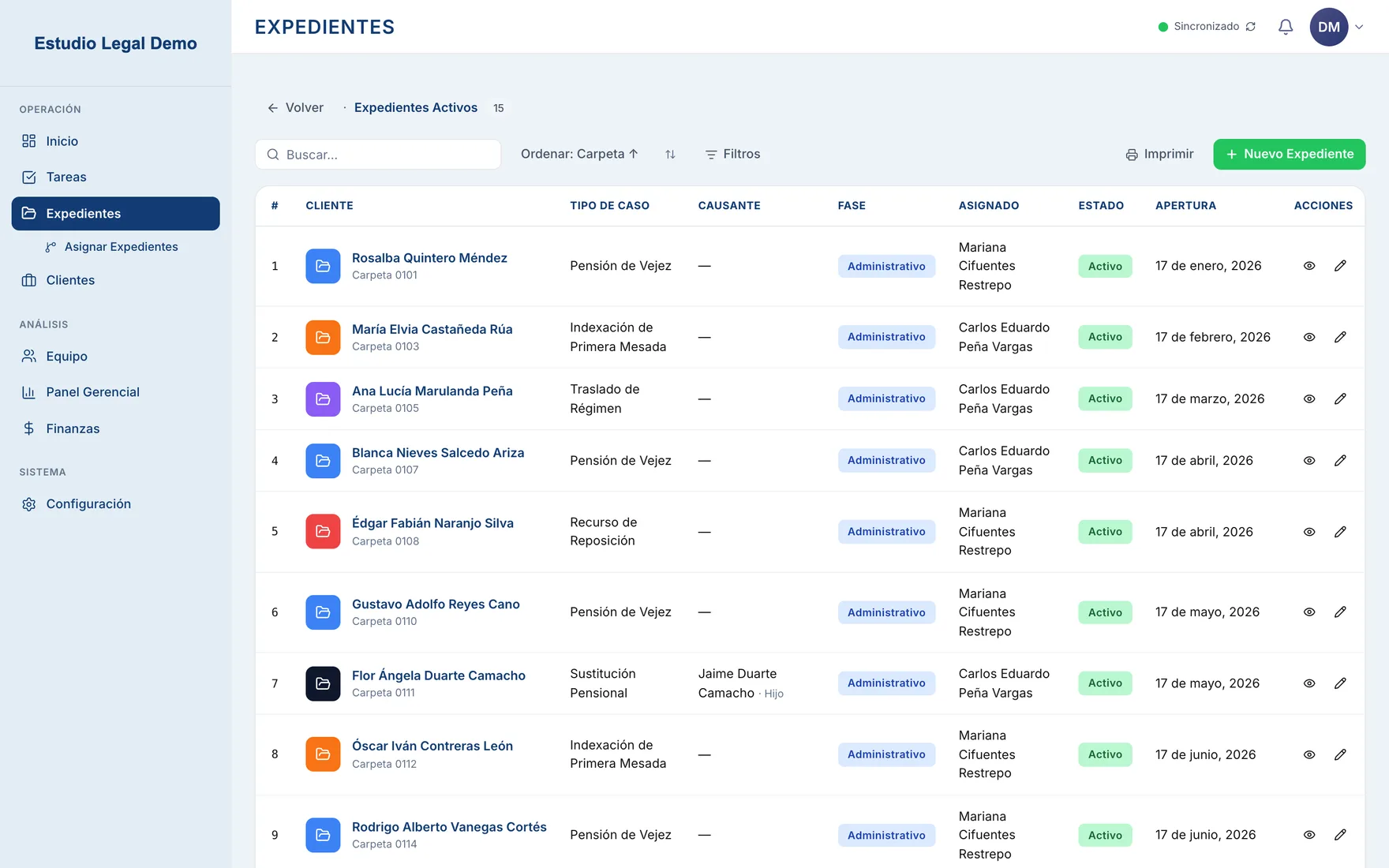
Cases
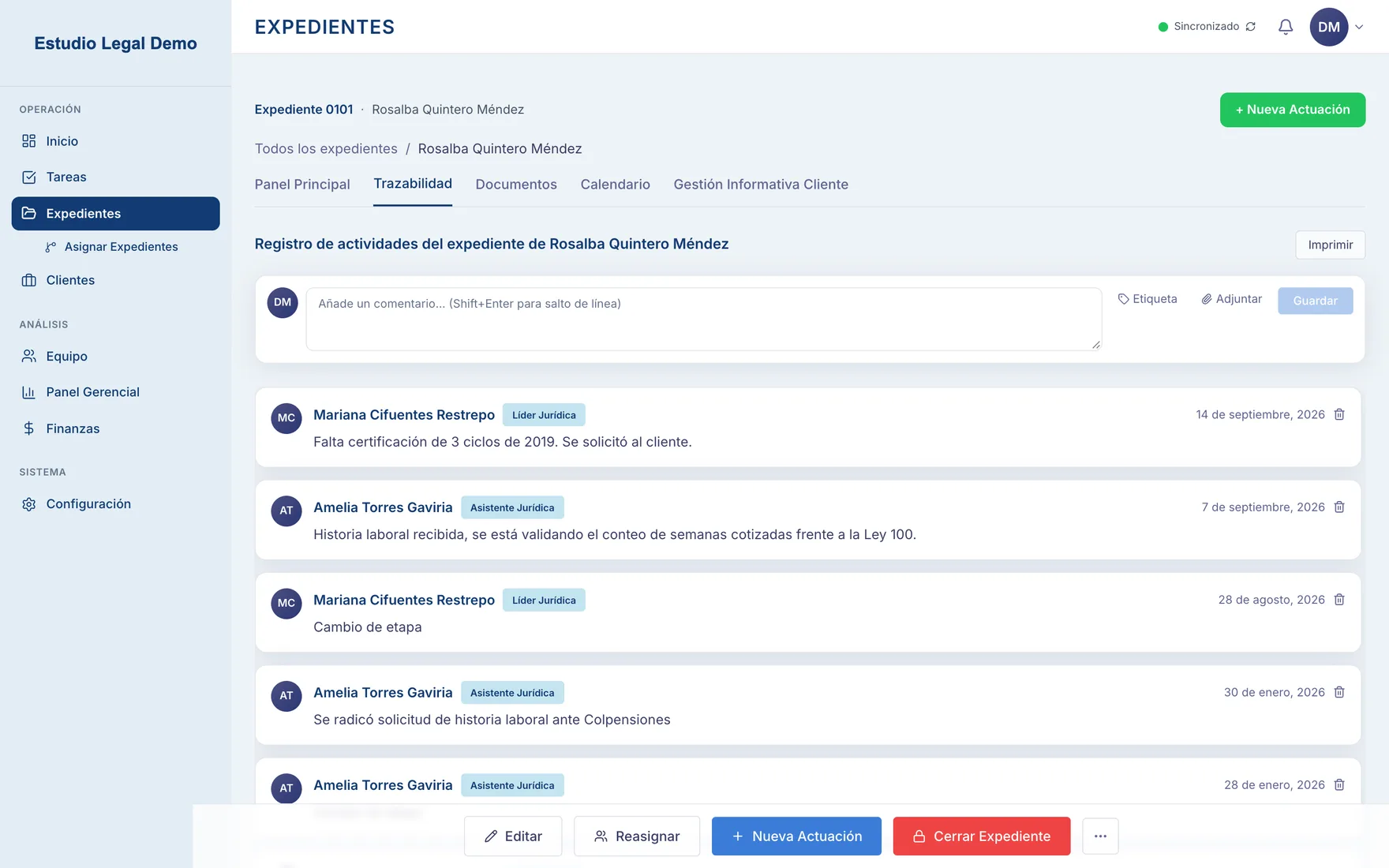
Every case has a status, a category, a timeline of everything that happened to it, its own tasks, a folder tree for its documents, and notes.
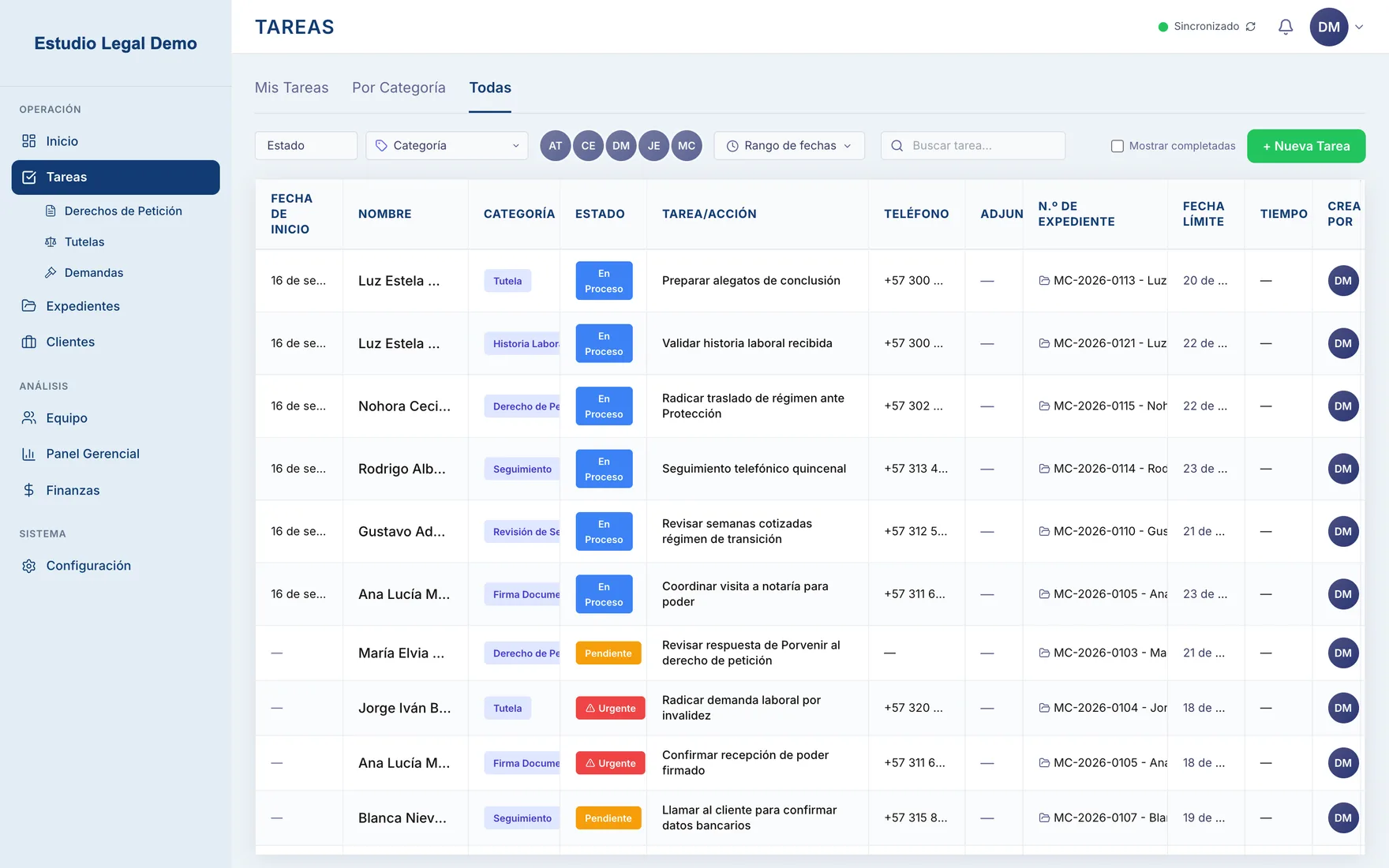
Tasks
Assigned to one person with a due date, an edit history and logged time. Anything overdue is obvious at a glance.
Documents and templates
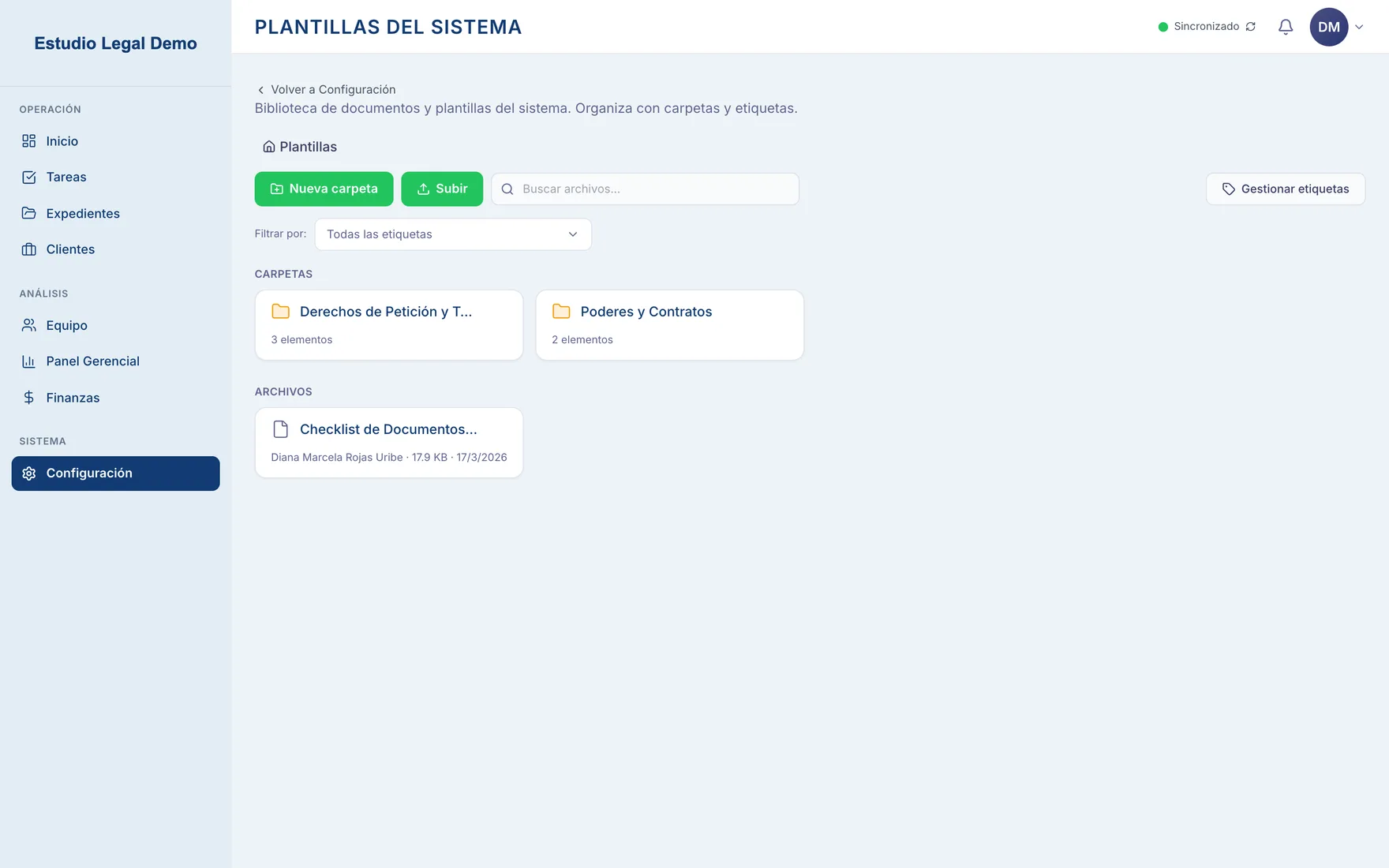
Folders per case, plus a shared library of the firm's model documents with tags and search, so nobody keeps their own copies on their desktop.
Roles and permissions
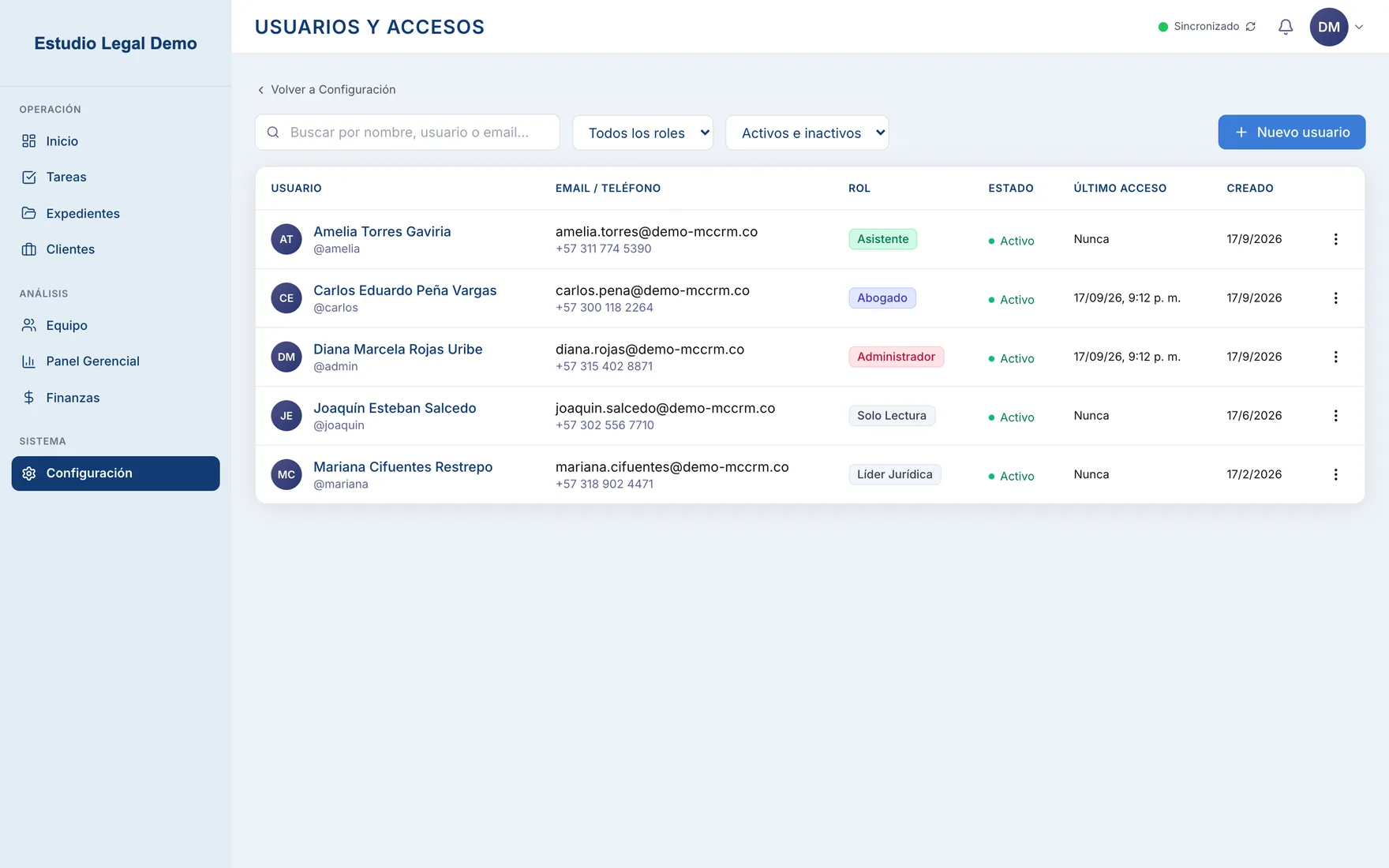
About thirty permissions per role across every module, so management, the legal team and the assistants each see and do what they should. Every change goes to an audit log.
Finance
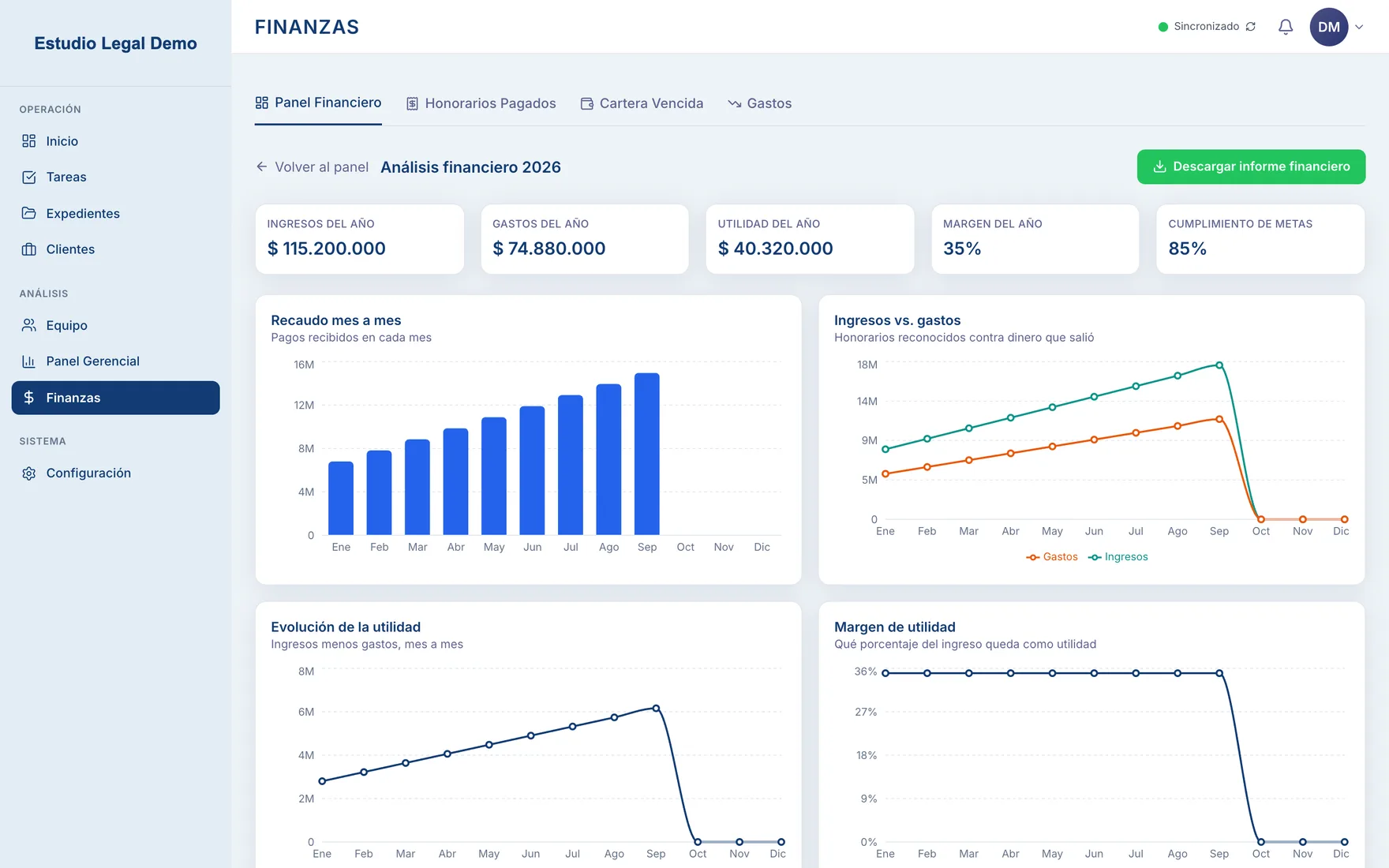
Fees, payments, expenses and a yearly target, with a dashboard, collections and overdue accounts, and a downloadable PDF report.
Legal filings
Rights petitions, writs and lawsuits each have their own flow and fields (court, filing number, deadline) instead of living as generic tasks.
Inside the product
Offline first
The desktop app writes every change to a local SQLite database first and puts it in a sync queue. When the connection is there, the queue goes to a Fastify API backed by PostgreSQL, and changes from the rest of the team come back down. A power cut or a dropped line never stops anyone mid-task, and the header always shows whether the app is synced. Documents are stored in object storage, with folders per case.
Finance without spreadsheets
The client wrote a document explaining how the firm reads its numbers, and the module follows one rule from it: the team only records fees, payments, expenses and the yearly target. Everything else (balances, collections, overdue accounts, days late, profit, margin) is calculated by the database on the fly and never stored, so the numbers can't drift out of sync with each other.
The yearly target is entered once. The system splits it across months and prorates it by calendar days for weekly, quarterly or daily views. The dashboard can switch between those periods and always compares against the same period before. Management can download a PDF report and pick which of the seven charts go in it.
Problems worth knowing about
Chrome translated the app and froze it
The page declared English while the interface was Spanish, so Chrome offered to translate it. The translator rewrites the text React manages, and the screen kept showing the previous case's number and name after you opened a new one. The fix was declaring the right language, opting out of translation, and keeping live values in their own elements.
A 23 MB PDF report
The first finance report weighed 23 MB because the PDF library stores chart images uncompressed. Compressing the images and capturing each chart's actual SVG (not the tiny legend icons next to it) brought it to about 270 KB, with charts that render fully instead of mid-animation.
Cases that went quiet
Cases with no movement for 30 days now raise a notice for the person assigned. It's checked when notifications load, with no scheduled job to maintain, and it repeats weekly. Dismissing it stays dismissed for that week.
Filters that ate keystrokes
Saving every filter in the URL made typing in a search box lose letters, because URL updates are asynchronous. Text inputs now write to the URL after a short pause, while dropdowns still update it instantly.
Where it landed
1 App, desktop and browser~30 Permissions per role30 days Before a quiet case raises a flag0 Spreadsheets for the monthly numbers
The status of any case is now one screen away. Tasks have an owner and a date, documents sit where they belong and only the right people can open them, and stalled cases surface on their own instead of being discovered late. The monthly numbers come out of the system itself.